How to Register & Bid Online
A step-by-step guide to creating your bidder account, registering for an auction, and placing online bids with Jack Nitz Auctions, serving Nebraska and Iowa from Fremont, NE.
How do I bid online with Jack Nitz Auctions?
- Go to nitzauctions.com, find the auction you want, and click its title or main photo to open the Auction Details page.
- Read the auction details and Terms for the buyer's premium, payment, pickup and shipping details.
- Click Bid Online Now! to open the online catalog, then click Register to Bid on any item.
- Sign in or create an account, enter your bidder information, agree to the auction terms, and verify a credit card (a temporary hold that comes off within 48 hours).
- Click the BID button on an item, then click Confirm Bid to place your bid.
Last updated:
Jack Nitz Auctions holds live simulcast and online-only auctions across Nebraska and Iowa, with most of our sales in eastern Nebraska, the Omaha metro and western Iowa. Our online bidding platform lets you bid on farm and construction equipment, vehicles, trailers, real estate and more from your computer or phone, wherever you are.
Registering takes just a few minutes. Once you have an account, you'll use the same login to bid on every Jack Nitz auction.
How to Register for an Online Auction
Find your auction
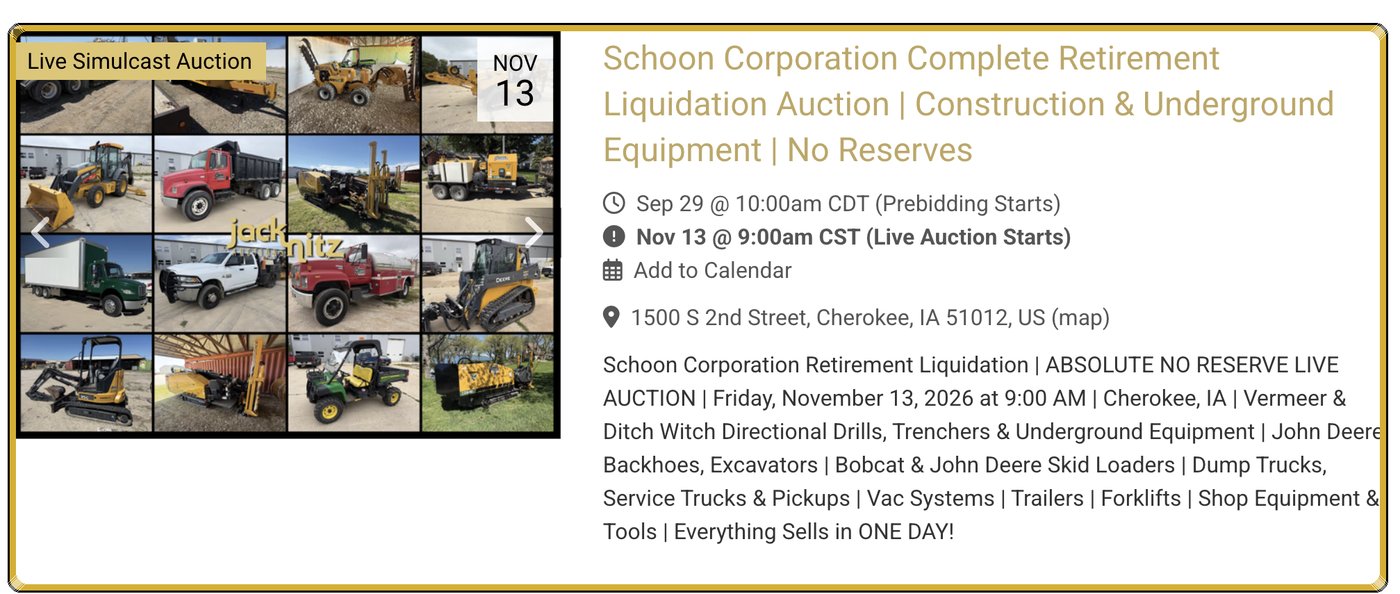
Go to nitzauctions.com. Click Auctions at the top of the page, or scroll down the home page to see our upcoming auctions.

Open the auction details page
Click the auction's title or main photo. This opens the Auction Details page, where you'll find the auction date and time, location, a description of what's selling, and the auction terms.
Read the auction Terms first
Please read the terms before you bid. On the Auction Details page, scroll below the main auction photos and click the Terms tab (next to Details, Videos, Map and All Photos). This is where you'll find:
- Buyer's premium
- Accepted payment methods
- Pickup or shipping options
- Pickup dates and times
- Bid increments
- Preview and pickup location
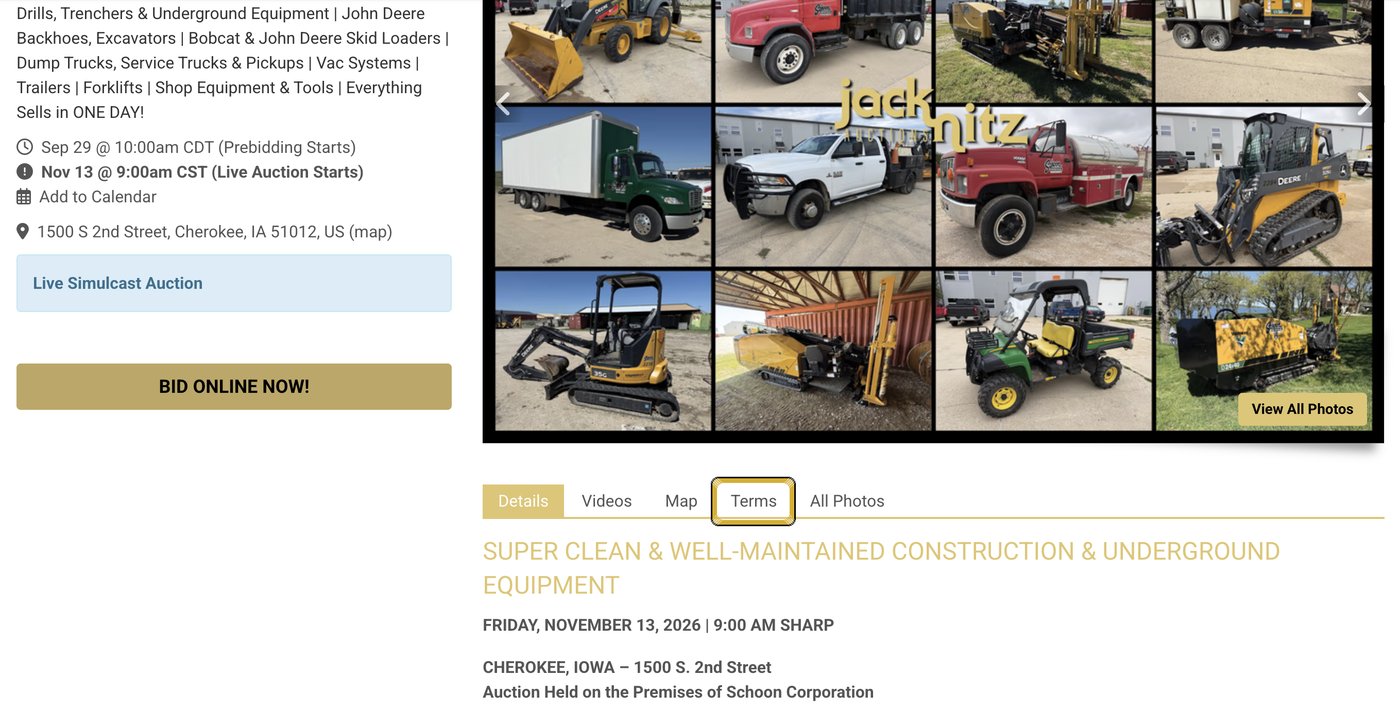
You can also find the same terms in the online catalog. After you click Bid Online Now! (Step 4), click the Terms tab on the left side of the page.

Click "Bid Online Now!"
On the Auction Details page, click the gold Bid Online Now! button. This opens the online catalog, where you can browse every item in the auction, see photos and descriptions, and register to bid.
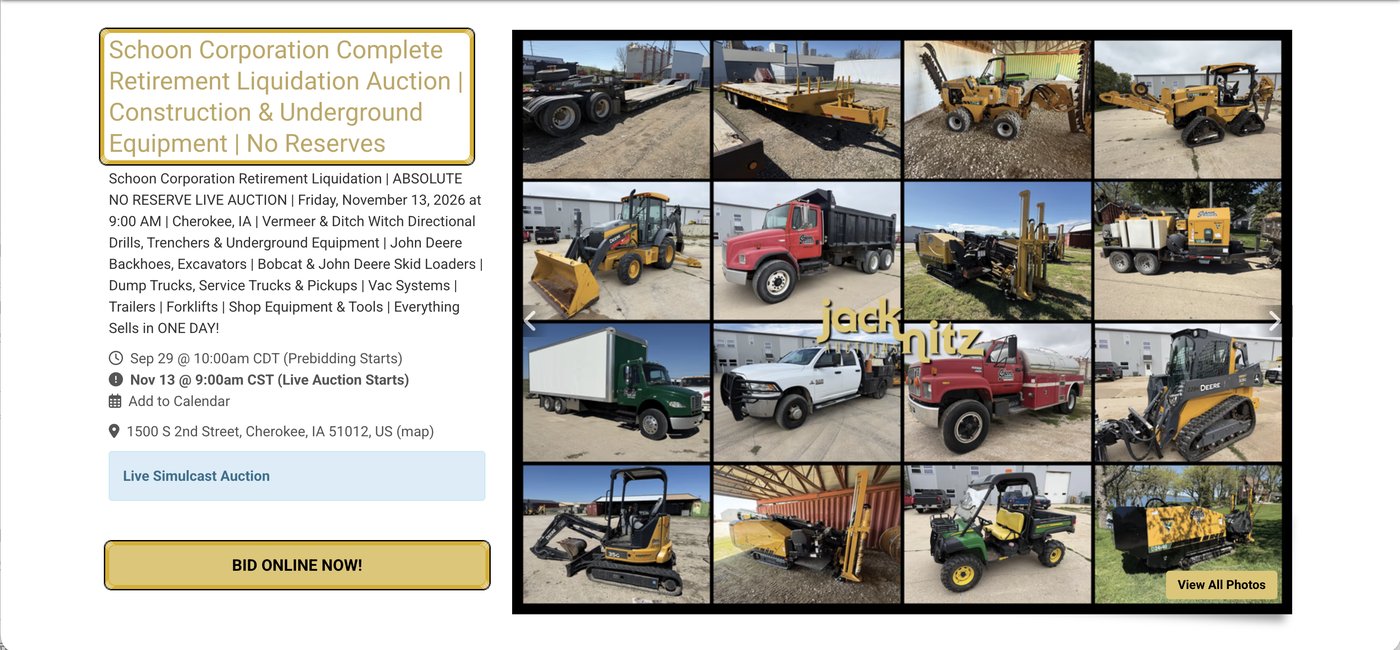
Click "Register to Bid"
In the online catalog, click the black Register to Bid button on any item. You register once per auction, not for each item. When you come back for a future auction, you'll click Register to Bid again and sign in with the same account.

Sign in or create an account
New to Jack Nitz Auctions? Click No Account? Sign Up Here at the bottom of the window, then continue to Step 7.
Already have an account? Enter your email and password and click Sign In, then skip ahead to Step 8.


Create your bidder account
Follow the prompts: enter your first and last name, email address and create a password, then your date of birth. Check the box to agree to the Terms of Use and click Sign Up.


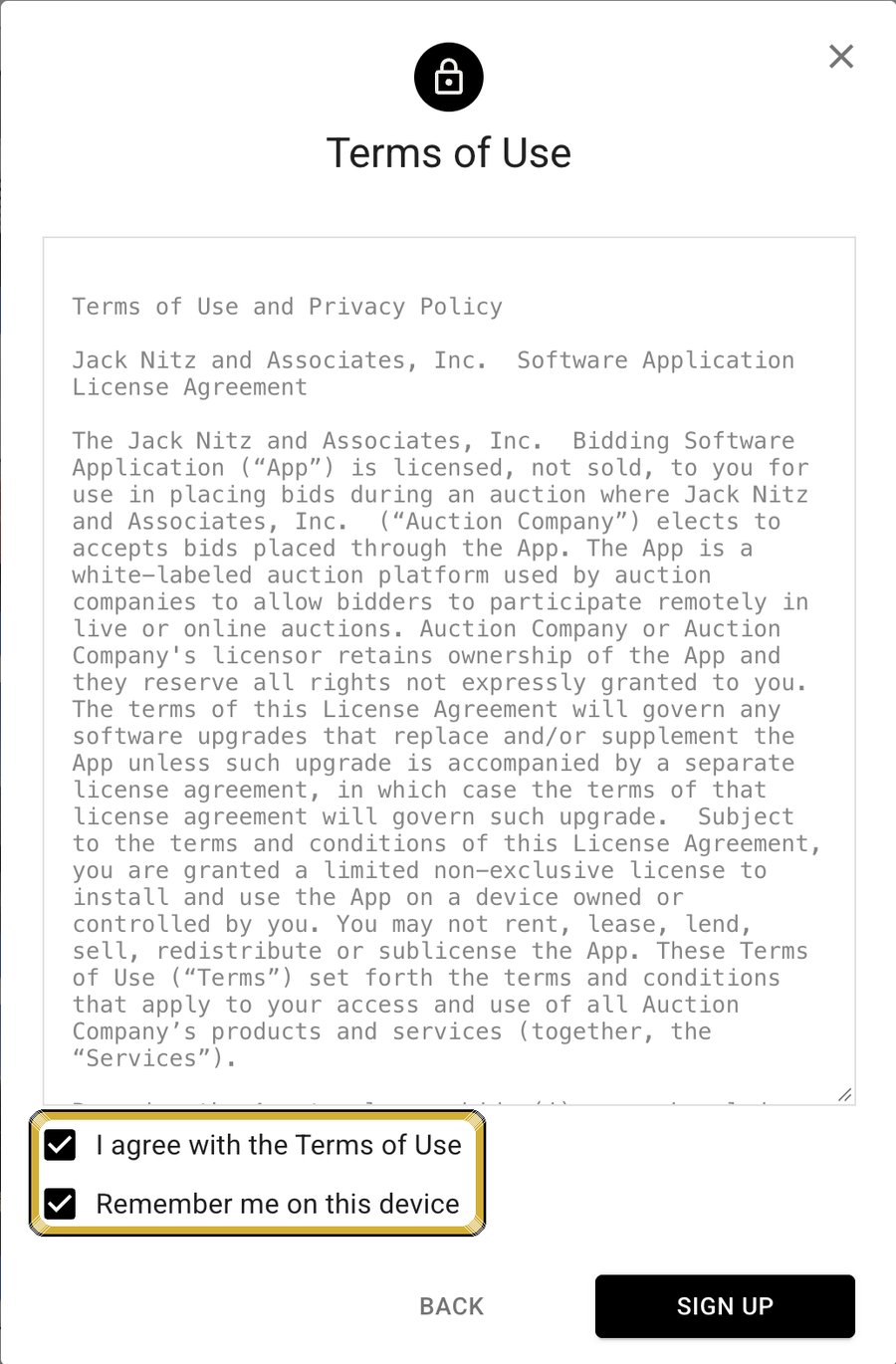
Enter your bidder information & agree to the auction terms
Fill in your phone number and address (and company name, if you're bidding for a business), then click Continue. Next, you'll see the terms for this specific auction. Read them, check I agree with the Terms and Conditions, and click Continue.


Verify with a credit card
A credit card is required to finish registering. Enter your card number, expiration date and card code, then click Register.
Registering doesn't cost anything. To verify your card, it's pinged with a temporary hold for the amount shown on the screen. For most auctions that amount is $25; some real estate auctions require more.
The hold may show up as a pending charge on your account, but it comes off within 48 hours. Your card would only be charged that amount if you're the high bidder and don't meet the auction's terms.

How to Place a Bid Online
Click the Bid button
Each item now shows a black button that says BID followed by the next amount you can bid. For example, if an item's high bid is $2,800, the button may say BID $2,900. To bid that amount, click anywhere in the black box.

Confirm your bid
After you click, the button changes to Confirm Bid. Click it again to place your bid. To cancel instead, click the X on the right.

Want more control? Use the bid options
Click the arrow on the right side of the black Bid button. Three options drop down:

Whichever option you choose, remember to confirm your bid.
Online Bidding FAQs
Answers to the questions we hear most from bidders.
Do I need an account to bid online at Jack Nitz Auctions?
Yes. To bid online you need a bidder account with your name, email address, password and date of birth. You'll use the same email and password to sign in for every Jack Nitz auction, so write your password down.
Do I have to register for every auction?
Yes. You register once for each auction, not for each item. For a new auction, click Register to Bid on any item, sign in with your existing account, confirm your bidder information and agree to that auction's terms.
Can I look through the online catalog without registering?
Yes. Click Bid Online Now! on any Auction Details page to open the online catalog. You can browse every item, with photos and descriptions, without creating an account or registering. You only need to register if you want to bid online.
Do I need an online account to bid in person at a live auction?
No. To bid in person at a live auction, register for a bidder number at the auction on auction day. The first time you bid with us, bring your driver's license, phone number and email address. After that, just give us your name or email address. An online account is only needed to bid online or on an online-only auction.
Why do I need a credit card to register to bid?
A credit card is required to finish registering. Registering does not cost anything. To verify your card, it is pinged with a temporary hold, which is $25 for most auctions; some real estate auctions require more. The hold may show up as a pending charge on your account, but it comes off within 48 hours. Your card is only charged that amount if you are the high bidder and do not meet the auction's terms.
Where do I find payment, pickup and shipping information?
Every auction has a Terms tab on the auction page and on the bidding page. It lists the buyer's premium, accepted payment methods, pickup or shipping options, pickup dates and times, bid increments, and the preview and pickup location. These details vary from auction to auction, so read the Terms each time you bid.
What is a max bid?
A max bid is the most you are willing to pay for an item. When you create a max bid, the system automatically bids for you, one increment at a time, only as much as needed to keep you in the lead, up to your maximum. To set one, click the arrow on the right side of the Bid button and choose Create maxbid.
What is the difference between a max bid and bidding a specific amount?
A max bid lets the system bid for you gradually, only as high as needed, up to your limit. Bidding a specific amount places a bid at the exact amount you enter right away, and bidding continues from that amount. Use a specific amount when you don't want to be bid up gradually.
Why wasn't my bid accepted?
The most common reason is that the bid wasn't confirmed. After you click the Bid button, it changes to Confirm Bid, and you must click it a second time to place your bid. You also need to be signed in and registered for that auction. If you still have trouble, call us at (402) 727-8800.
What is the difference between a live simulcast auction and an online-only auction?
A live simulcast auction is held in person at the auction location while online bidders bid in real time over the internet, and online prebidding often opens before auction day. An online-only auction takes place entirely online, and bidding closes at a scheduled end time. Each auction listing on nitzauctions.com shows which type it is.
Can I see items in person before I bid?
Many auctions have a preview or inspection time when you can look at items in person. The preview location, dates and times are listed in the Terms for each auction.
Can I bid from my phone?
Yes. You can bid from your phone's web browser, or download the Jack Nitz Auctions app from the Apple App Store or Google Play. Learn more on our Our App page.
I forgot my password. What should I do?
Click the Forgot your password? link on the sign-in screen to reset it. If you need help, call us at (402) 727-8800 or email info@nitzauctions.com.
Does Jack Nitz Auctions hold auctions near Omaha?
Yes. Jack Nitz Auctions is based in the Fremont, Nebraska area and holds auctions throughout Nebraska and Iowa, with most of our sales in eastern Nebraska, the Omaha metro and western Iowa. We also travel anywhere for auctions, and online bidding lets you bid from wherever you are.
Who do I contact if I need help registering or bidding?
Call Jack Nitz Auctions at (402) 727-8800 or email info@nitzauctions.com, and our team will walk you through it.
More Bidder Resources
Questions? We're Happy to Help
If you get stuck at any step, call or email us and our team will walk you through it.
Jack Nitz Auctions (Jack Nitz & Associates, Inc.)
230 Ridgeland Ave., Inglewood (Fremont), NE 68025
Phone: (402) 727-8800 | Email: info@nitzauctions.com
Serving all of Nebraska and Iowa, including Omaha, Fremont and western Iowa